CloudFlare Domain Registration Tutorial
Cloudflare is a global platform for buying and resolving domain names. Domains are charged annually, with varying prices; we recommend registering domains ending in [.com] as they are the most standard and internationally recognized.
1.1 Registration and Purchase
I won't go into detail about registration or login: https://dash.cloudflare.com/login
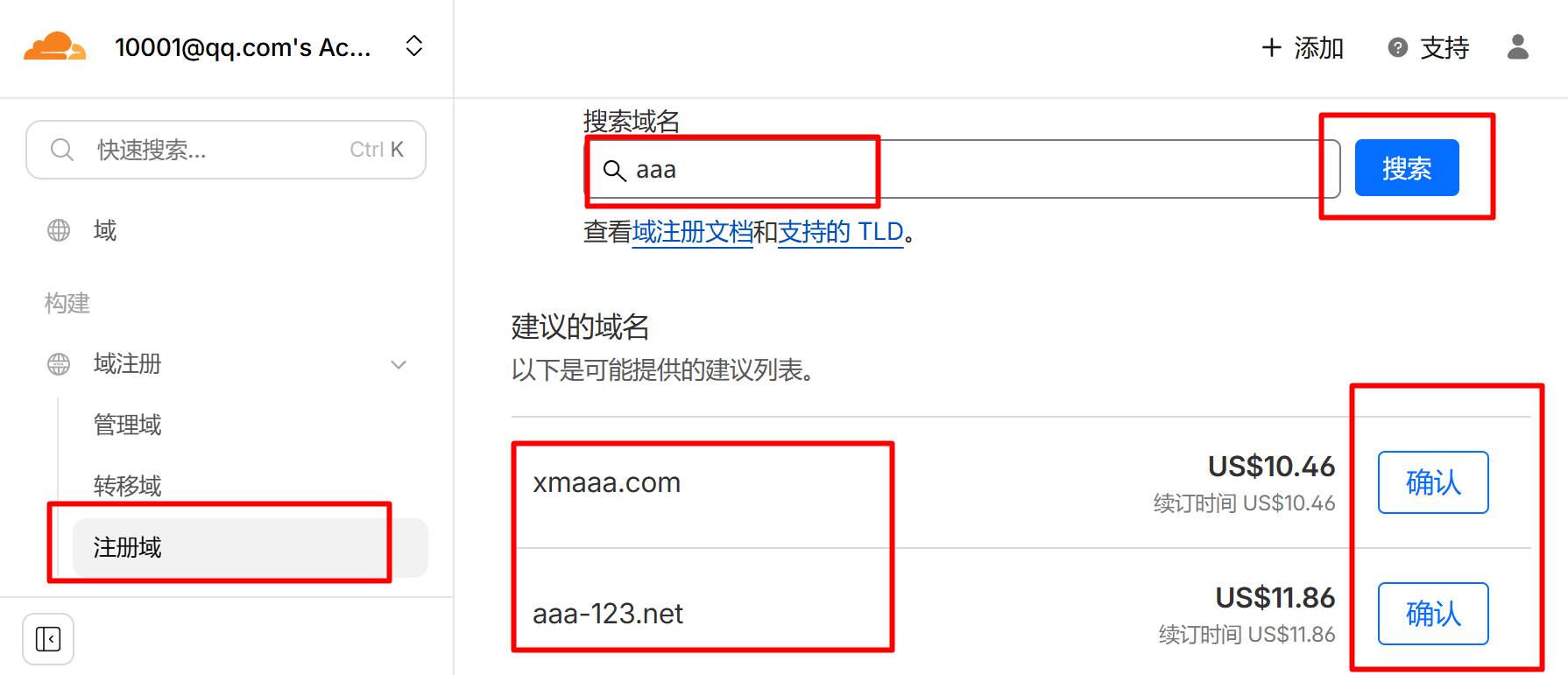
After successful registration, click [Domain Registration] -> [Register Domain], where you can search for and register a domain name.
However, domain registration requires payment in US dollars. You can open a Mastercard savings account at China Merchants Bank and say you're going abroad for travel.
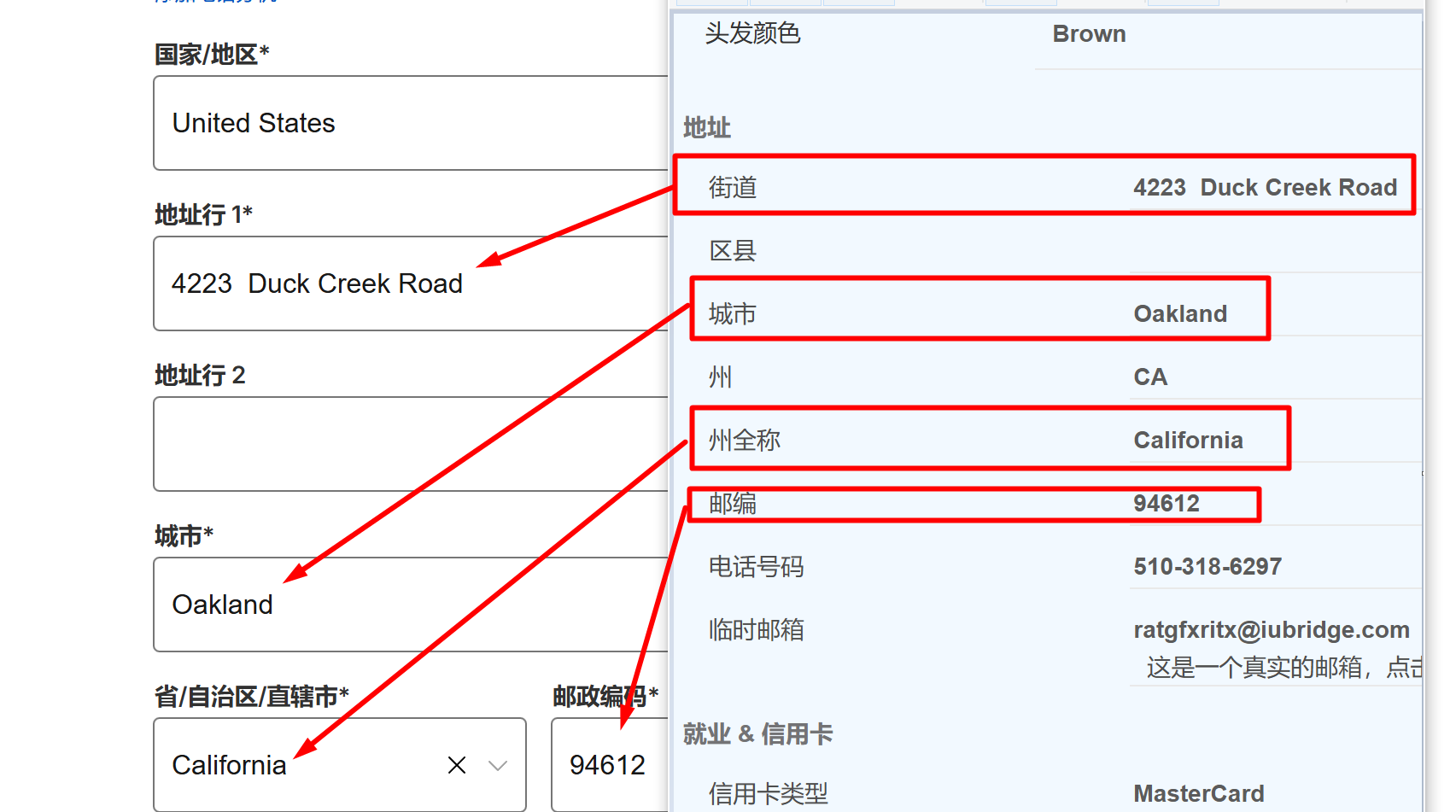
Country selection: [United States]
For US addresses and zip codes, please visit this website: https://www.meiguodizhi.com/
After obtaining them, fill them in one by one.
Next, fill in your Mastercard card number, date, CVV, account type [Individual], and then make the payment.
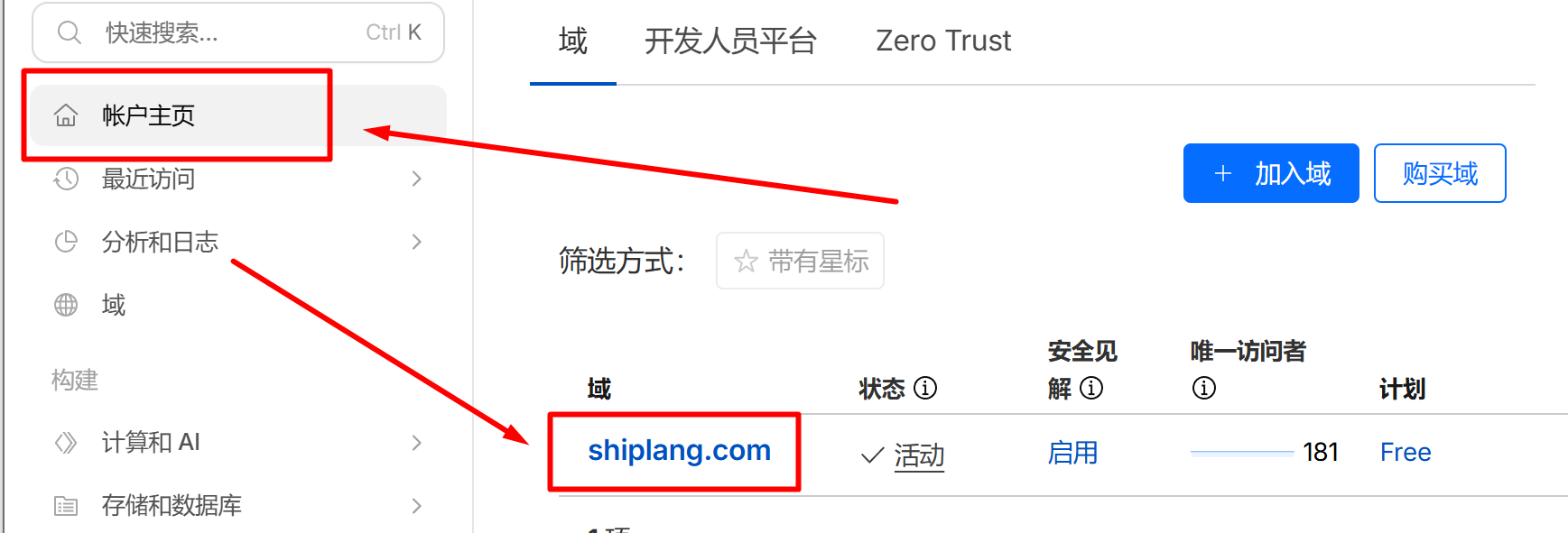
After the purchase is successful, click [Account Homepage], then click on the domain name you purchased.
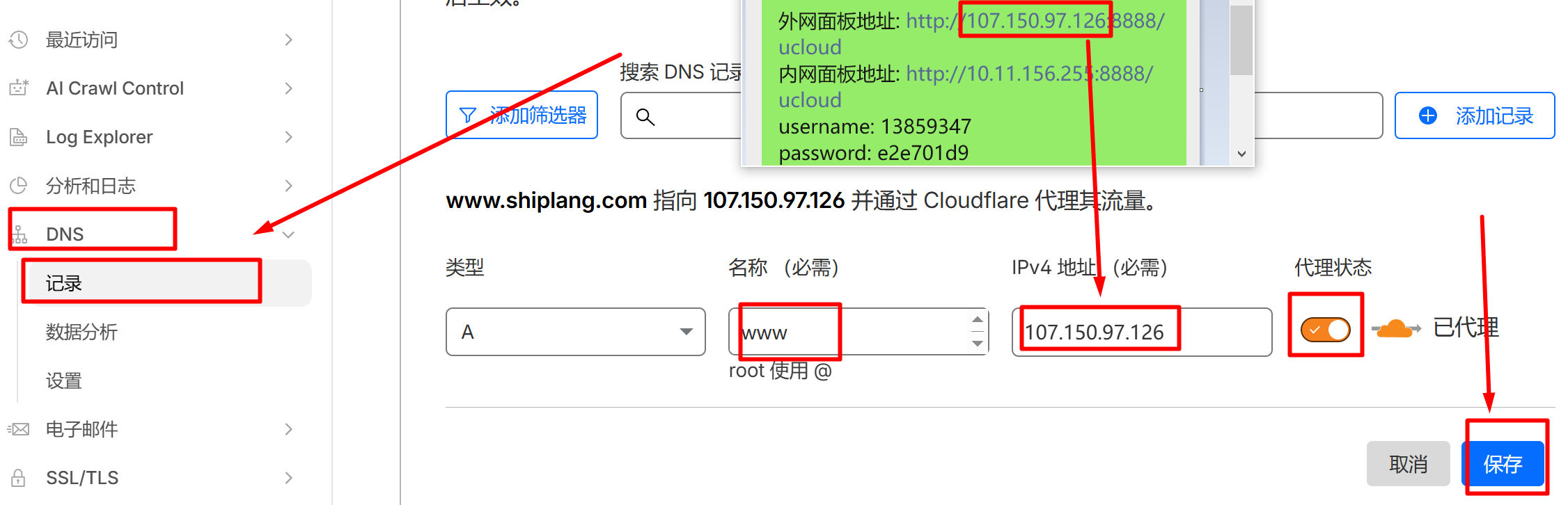
Go to [DNS] -> [Records] -> [Add Record] to point the domain name to the server.
Add the first record: Type A, Name www, IPv4 address: enter your own external control panel IP address, and enable proxy mode.
Add a second record: Type A, Name @, IPv4 address: enter your own external network panel IP, enable proxy mode, and the domain registration and resolution tutorial is complete!